
What to Cook.
Your daily kitchen
companion.
Create, plan, and shop with ease. Designed to simplify your cooking journey every step of the way.


10k+ happy cooks
Weekly meal plans
Plan ahead easily
Smart grocery list
Never forget items
Track calories
Stay on your goals
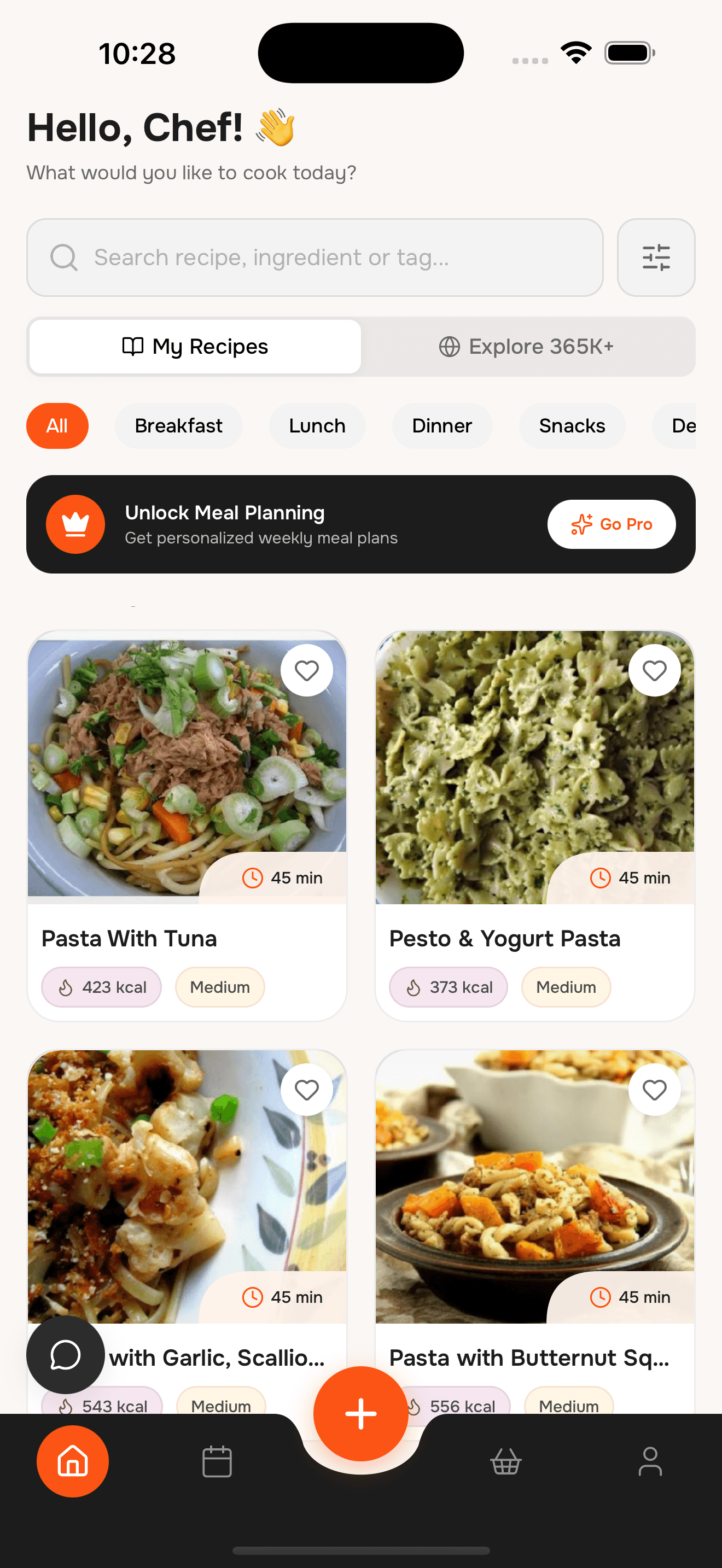
Cooking made
effortless, every day
Plan meals, save your favorites, and get organized shopping lists — all in one simple dashboard.
Smart AI suggestions
Get recipe ideas based on your saved ingredients, preferences, and available time.
Weekly meal plans
Create and manage a personalized weekly meal plan with just a few taps.
Grocery list
Quickly add recipe ingredients to your grocery list—simple and organized.
Save favorites
Never lose a recipe again. Save your favorites with just one click.
Track nutrition
Monitor calories and macros for each meal to stay on top of your goals.
Discover 365K+ recipes
Explore a vast library of recipes with powerful filters and search.
No more "What's for dinner?"
Remove the stress of daily meal decisions with easy planning and flexible recipe browsing. Filter by dish type, cooking time, diet, and more.
Find Recipes in Seconds
🍽️ Dish Type
⏱️ Time
🥗 Diet
Crispy Homemade Sugar Waffle Cookies
Chia Seed Pudding with Berries
Plan, prep, and
plate in minutes
Discover delicious recipes, build your plan, and get your grocery list ready—fast.
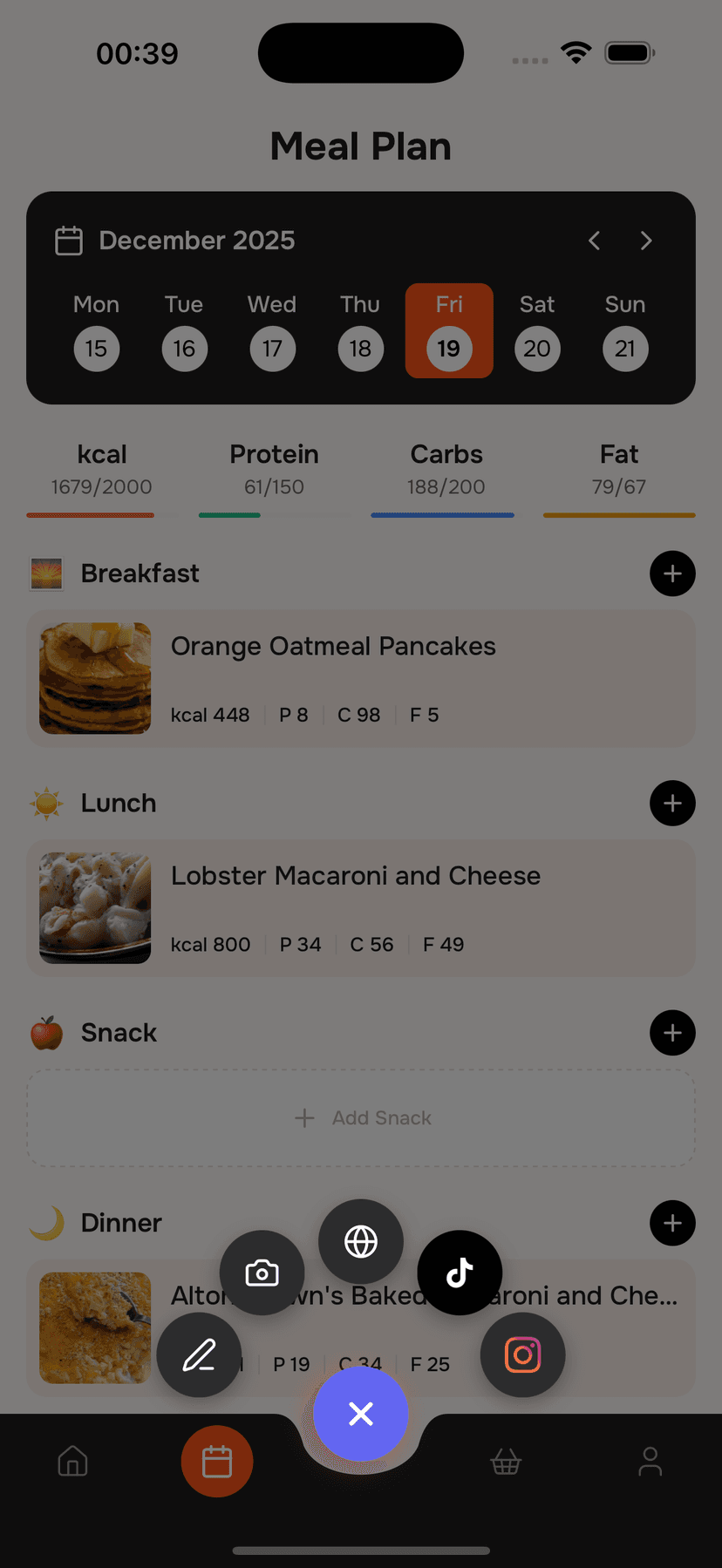
Import your recipe
Import recipes from Instagram, TikTok, websites, or scan from photos—all in one tap.
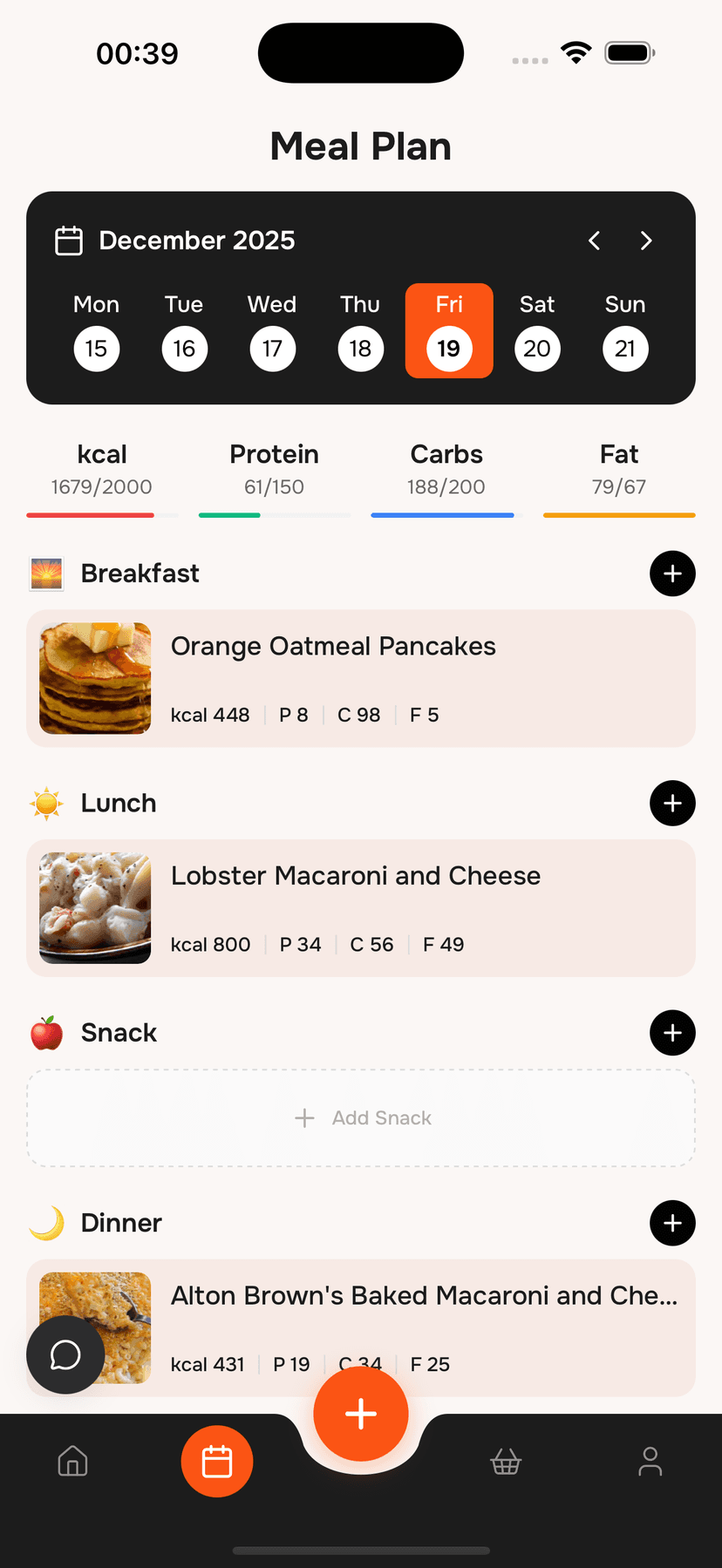
Add to meal plan
What to Cook builds your week of meals in one tap—fully editable.
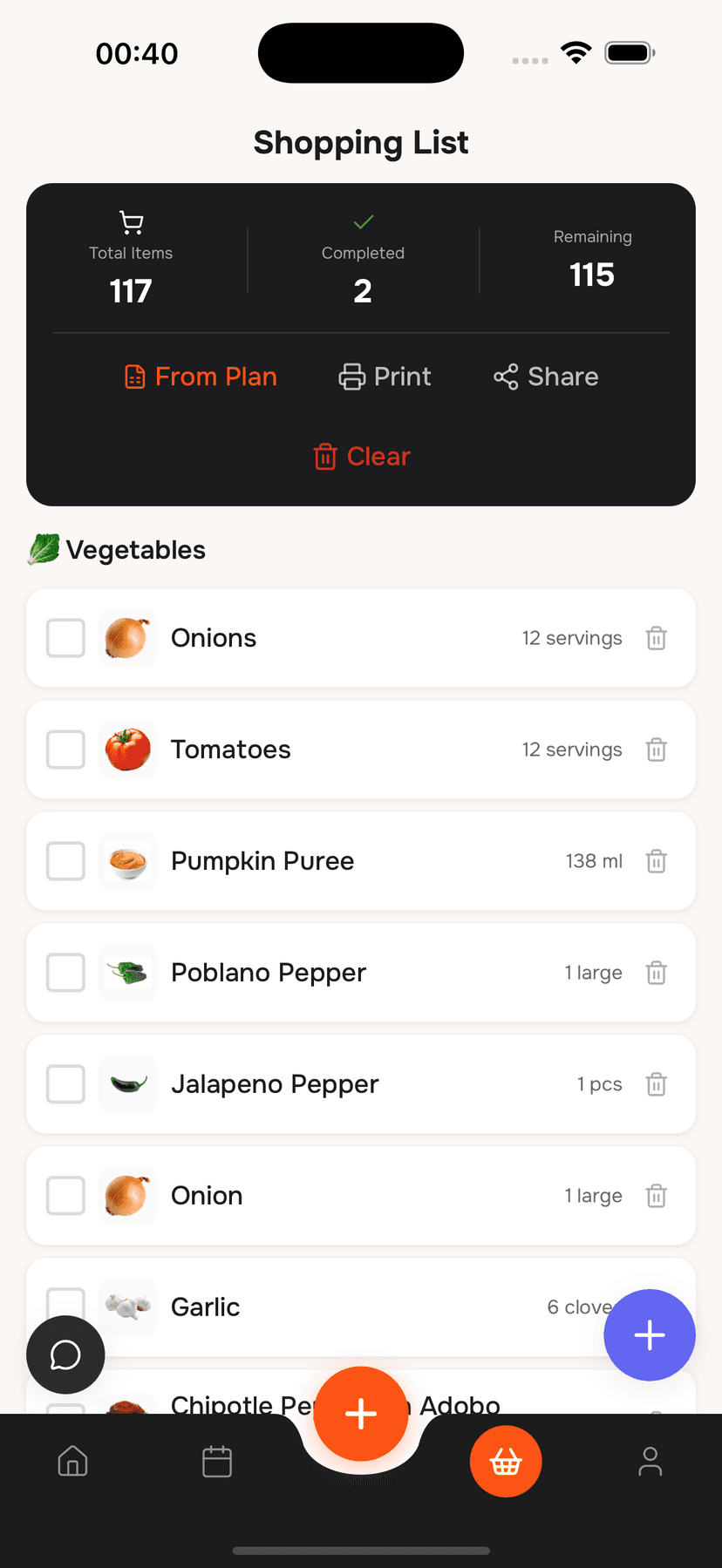
Instant grocery list
Automatically generate a grocery list with everything you need.
Frequently asked questions
From first-timers to seasoned foodies — discover why thousands trust What to Cook to plan their plates.
You can start using What to Cook for free with access to core features. If you want extra tools like unlimited meal plans, AI-powered suggestions, or exclusive content, we offer premium plans at an affordable rate.
Cook smarter,
wherever you are.
Get the What to Cook app and plan your meals, explore recipes, and shop ingredients — all from your phone.