
№ 01— Meal planner + recipe saver
Meal planner and recipe saver for busy home cooks
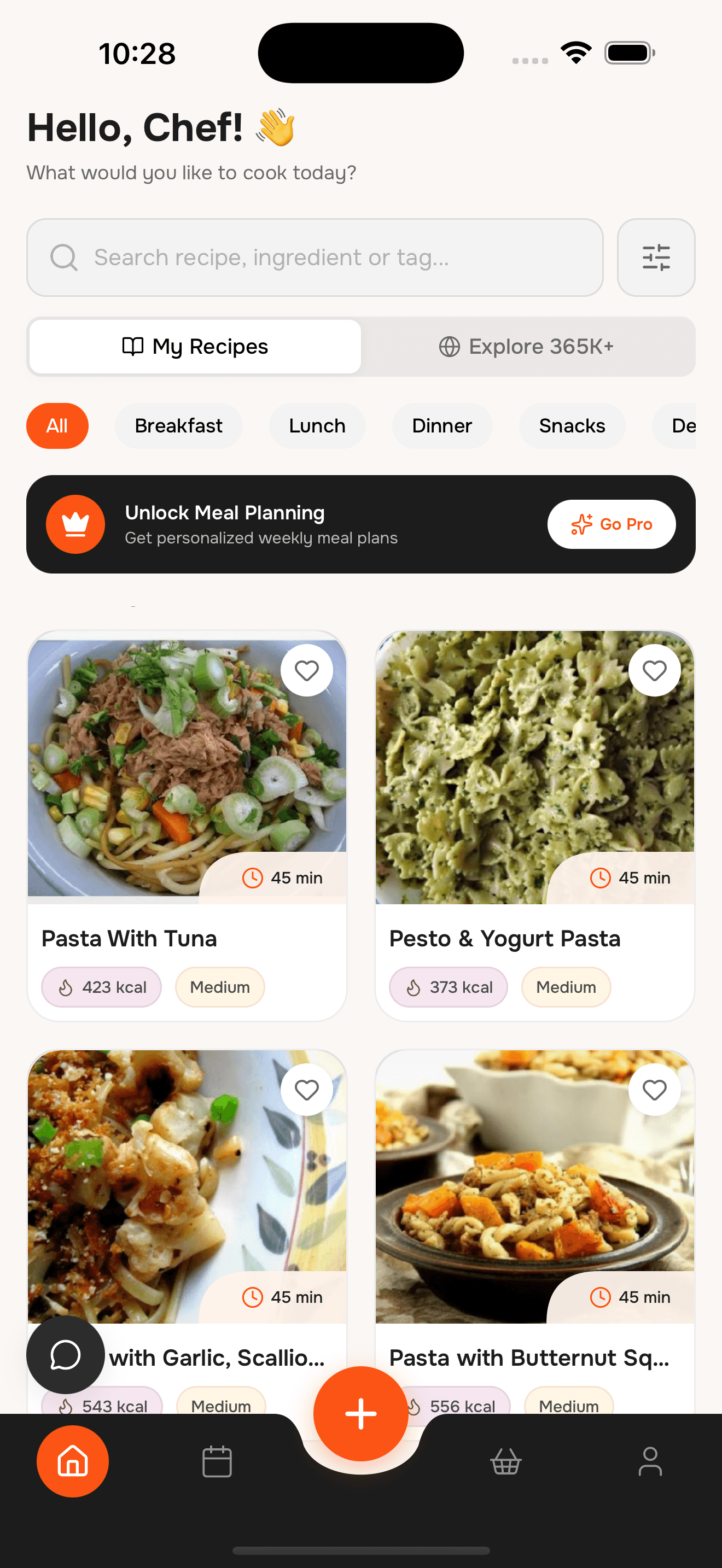
Import recipes from websites, Instagram, TikTok, or camera scans, organize them into collections, keep nutrition and macro targets visible, and manage your weekly plan plus grocery lists in one place.
Plan meals, save recipes, and build smarter grocery lists in minutes.
№ 02— What’s inside
Six things, in the order you’d use them
No more “what’s for dinner?” Search by ingredients, cooking time, dish type, or diet so you can decide faster and waste less food.


№ 03— Import
From saved post to saved recipe in seconds
Paste a link or share straight from the app you found it in. WhatToCook reads the ingredients, steps and servings, and files it as a proper recipe card.

№ 04— Plan
Macros visible, week organized
Drag saved recipes onto days, or let the assistant fill the gaps around what you already have. Totals update as you go, per serving.

№ 05— Shop
One list, duplicates merged
Every ingredient in the plan, added up once and grouped by aisle. Share it with whoever is closest to the shop, or print it for the fridge.

№ 06— How it works
Import, plan, and cook
- ~2 min
Save recipes fast
Import from a website, share a social post, or scan a handwritten card so every recipe starts in the same place.
- ~3 min
Plan your week
Add meals to breakfast, lunch, and dinner slots, then adjust the week without losing your structure.
- ~1 tap
Shop with one list
Generate a grocery list from the plan, clear duplicates, and share or print it when it is time to shop.
№ 07— Questions
Questions about the meal planner?
Short answers to the most common questions about WhatToCook. hello@whattocook.wtf
What is WhatToCook?
WhatToCook is a meal planner app and recipe saver for iPhone that helps you import recipes, organize them, plan the week, and build grocery lists quickly.
Can I import recipes?
Yes. Import recipes from websites, share from Instagram and TikTok, or scan handwritten recipe cards with your camera.
Does it create a grocery list?
Yes. Grocery lists can be generated from recipes or your meal plan, with duplicate ingredients grouped together for faster shopping.
Can I save favorite recipes?
Yes. Use collections, favorites, and filters to organize your recipe library around cuisines, diets, or family go-to meals.
Can I search by ingredients I already have?
Yes. WhatToCook supports ingredient-based discovery, so you can turn what is already in the fridge or pantry into recipe ideas.
Does it support nutrition and macro planning?
Yes. Recipes include nutrition per serving, and meal-planning flows are designed to keep calories, protein, carbs, and fat easier to track during the week.
Can I share or print grocery lists?
Yes. Grocery lists are built to be practical in real kitchens, with sharing and printing options for partners, roommates, or family shopping trips.
Can the app help improve or translate recipes?
Yes. AI-assisted recipe enhancement and translation are available where supported, so saved recipes can be easier to understand and reuse.
Is WhatToCook free?
Core features are free. Optional premium plans unlock extra tools.
№ 08— Reservation
Meal planner + recipe saver in your pocket.
Download WhatToCook on iPhone to save recipes, plan meals, track macros, and shop from a cleaner grocery list.
- Table for
- your whole household
- Cover charge
- Free to start