
Chapter— Recipe App
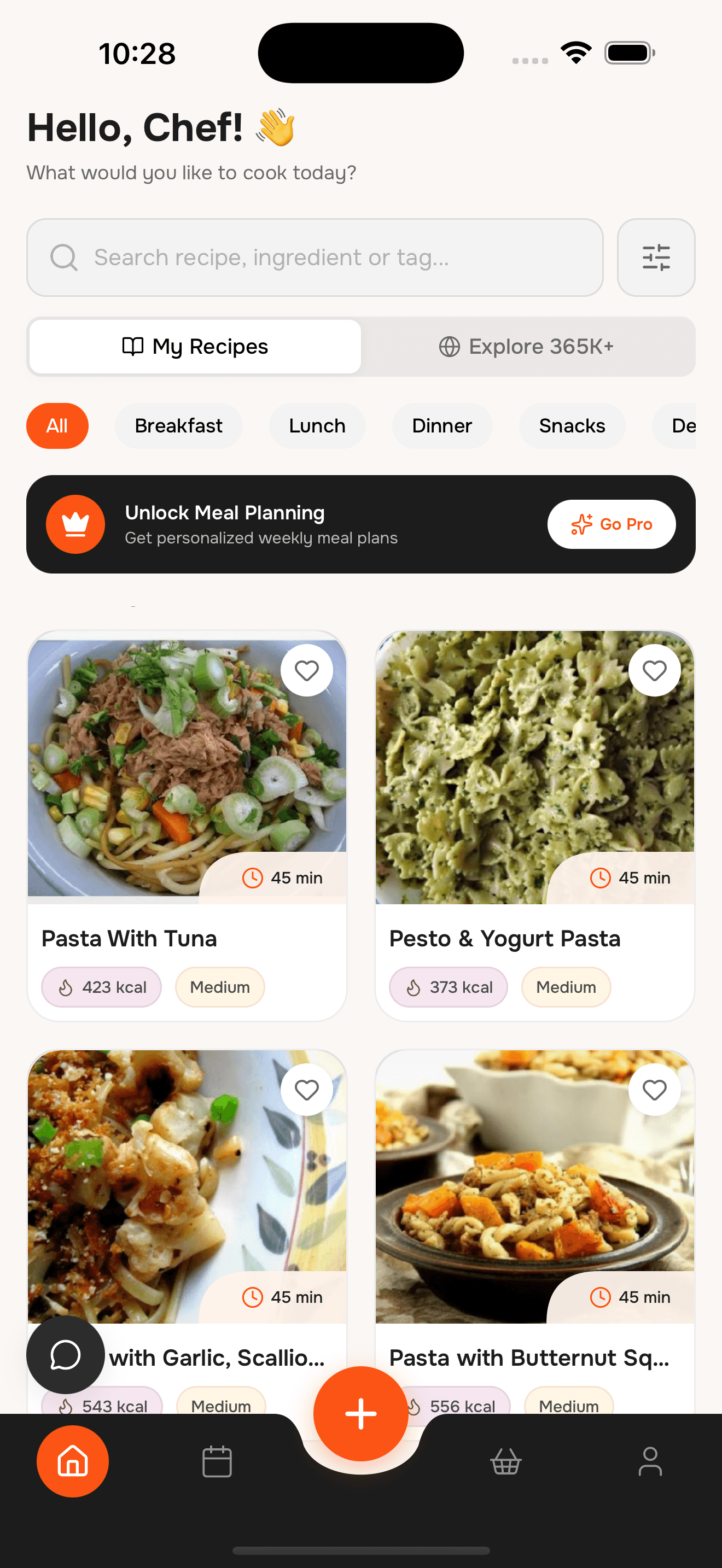
Save recipes from anywhere
Import recipes from websites, Instagram, TikTok, or a quick camera scan. Organize them into collections, cook with a clean step-by-step view, and plan your week with a shared grocery list.
A simple recipe organizer for real kitchens
№ 01— Features
Everything you need to save and cook
Save recipes fast, keep them organized, and actually use them each week.
№ 02— The difference
Recipe chaos? Clean it up.
Without WhatToCook
- Recipes scattered across bookmarks and screenshots
- Messy recipe pages with ads and popups
- Hard to find what to cook when you're hungry
- No easy way to plan meals for the week
- Shopping lists that never match your recipes
With WhatToCook
- One clean recipe library
- Import and clean recipes automatically
- Fast search by ingredient or name
- Weekly planning in minutes
- Shared grocery lists from your plan
№ 03— Questions
Recipe App Questions
Everything you need to know about organizing your recipes
Can I import recipes from Instagram or TikTok?
Yes. Save the post to WhatToCook and we extract the recipe so you can keep it with the rest of your collection.
Can I scan handwritten recipes?
Yes. Use the camera scan to turn handwritten or printed recipes into clean, editable cards.
How do grocery lists work?
Add recipes to your weekly plan and we generate one combined list you can share with family or roommates.
Does WhatToCook have cooking mode?
Yes. Recipes include a focused step-by-step view with servings scaling and nutrition per serving.
Is the recipe app free?
Yes. Core recipe features are free, with optional upgrades that vary by plan or region.
№ 04— The index
Other chapters
Same app, a different starting point.
№ 05— Reservation
Start building your recipe library.
Save recipes from anywhere, organize them your way, and cook without distractions. Download WhatToCook on iPhone.
- Table for
- your whole household
- Cover charge
- Free to start