
Chapter— Digital Cookbook
Your cookbook, digitized and shared
Scan handwritten cards, import from websites or social posts, and build a clean digital cookbook you can use every week.
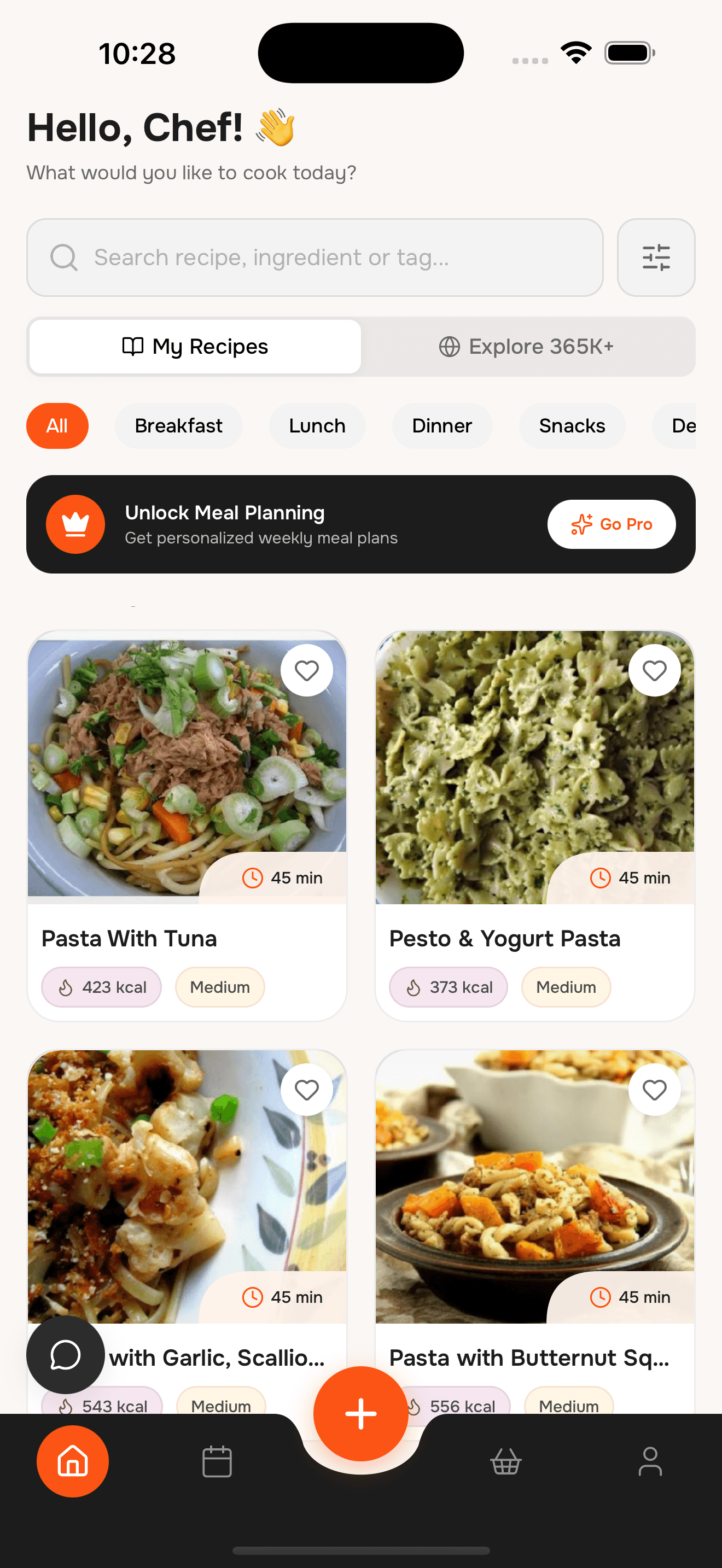
Save family recipes and keep them easy to cook
№ 01— Features
Build a cookbook that lasts
Keep your favorite recipes organized, easy to find, and ready to cook.
№ 02— The difference
Keep family recipes safe and useful
Without WhatToCook
- Handwritten recipes fading or getting lost
- Recipes scattered across cards, books, and notes
- Hard to find the right recipe when you need it
- No easy way to plan meals from family favorites
- Cooking steps that are hard to follow
With WhatToCook
- Scan and store everything in one place
- Clean, readable recipe cards
- Fast search by ingredient or name
- Weekly planning from your cookbook
- Step-by-step cooking mode
№ 03— Questions
Digital Cookbook Questions
Everything you need to know about creating your digital cookbook
Can I scan handwritten recipe cards?
Yes. Use the camera scan to turn handwritten or printed recipes into clean, editable cards.
Can I import recipes from websites?
Yes. Paste any recipe URL and we keep only the ingredients and steps.
Is the cookbook app free?
Yes. Core features are free, with optional upgrades that vary by plan or region.
Does it include cooking mode?
Yes. You get a focused step-by-step view with servings scaling and nutrition per serving.
Can I plan meals from my cookbook?
Yes. Add recipes to a weekly plan and generate a shared grocery list.
№ 04— The index
Other chapters
Same app, a different starting point.
№ 05— Reservation
Start your digital cookbook.
Preserve family recipes, organize them into collections, and cook from them every week. Download WhatToCook on iPhone.
- Table for
- your whole household
- Cover charge
- Free to start