
Chapter— Your Digital Recipe Book
Recipe Book App — Keep Every Recipe
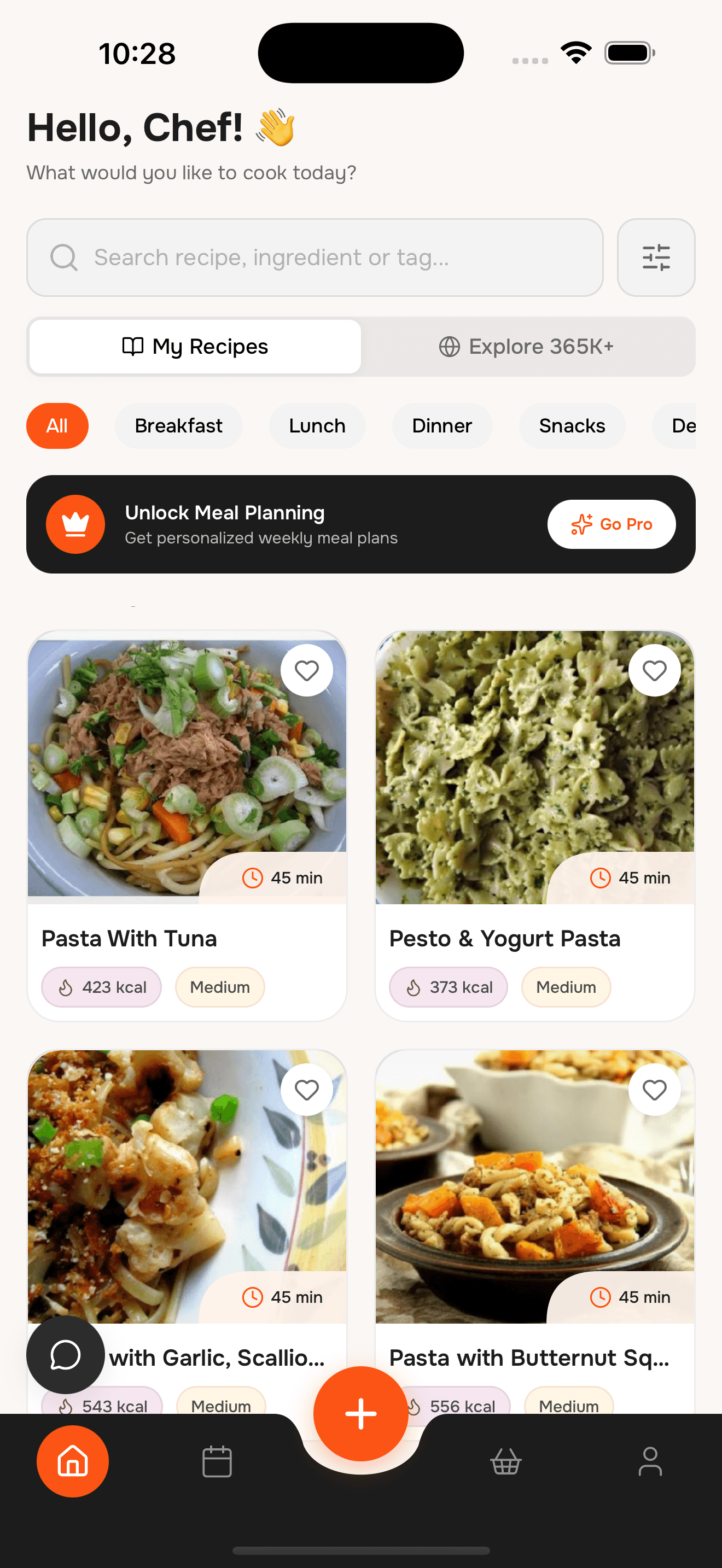
Your recipes shouldn’t live in screenshots, bookmarks, and random notes. This recipe book app lets you save recipes from anywhere, organize them into collections, and cook with a clean, distraction-free view.
Save, organize, and cook from one clean library
№ 01— Recipe Book Features
Build a recipe book you actually use
Everything you need to collect, organize, and cook from your favorite recipes.
№ 02— How it works
Create your recipe book in 3 steps
Save your favorite recipes
Import from websites, social posts, or scan handwritten cards with your camera.
Organize into collections
Group recipes by cuisine, occasion, or family tradition for quick access.
Cook and share
Open a clean cooking view and share recipes with family members anytime.
№ 03— The difference
Your recipes are everywhere — fix that
Without WhatToCook
- Screenshots and bookmarks you never remember to check
- Recipes scattered across blogs, notes, and social posts
- No easy way to organize family recipes
- Messy recipe pages with ads and popups
- Hard to find the right recipe when you need it
With WhatToCook
- One recipe book for everything
- Import and clean recipes automatically
- Collections and favorites keep you organized
- Distraction-free cooking mode
- Search by ingredient or recipe name instantly
№ 04— Questions
Recipe Book App Questions
Everything you need to know about saving and organizing recipes
What is a recipe book app?
A recipe book app is a digital place to save, organize, and cook from your favorite recipes. It replaces paper binders, bookmarks, and scattered notes with one searchable library.
Can I import recipes from websites?
Yes. Paste any recipe URL and we save just the ingredients and steps. No ads, no clutter, just the recipe.
Can I add family recipes manually?
Absolutely. You can type in recipes, scan handwritten cards, or import them from anywhere.
Can I scan handwritten recipes?
Yes. Use the camera scan to turn handwritten or printed recipes into clean, editable cards.
Is the recipe book app free?
Yes. Core recipe book features are free, with optional upgrades that vary by plan or region.
№ 05— The index
Other chapters
Same app, a different starting point.
№ 06— Reservation
Start your recipe book.
Save recipes from anywhere, organize them your way, and cook distraction-free. Download WhatToCook on iPhone.
- Table for
- your whole household
- Cover charge
- Free to start